
Ugh. A Security wake-up call
It's been an interesting two weeks for software

Last week, X was ablaze with the newest fad - ClawdeBot, then Moltbot, and finally OpenClaw. Amid posts on prompt injection, security risks, and life automation, the buzz mixed marketing hype with some legitimate doom-and-gloom warnings.
OpenClaw is a personal AI assistant you run on your own devices. It answers you on the channels you already use (WhatsApp, Telegram, Slack, Discord, Google Chat, Signal, iMessage, Microsoft Teams, WebChat), plus extension channels like BlueBubbles, Matrix, Zalo, and Zalo Personal. It can speak and listen on macOS/iOS/Android, and can render a live Canvas you control. The Gateway is just the control plane — the product is the assistant. (OpenClaw Readme)
Yesterday morning, I came across another post about how the popular Notepad++ had been hacked back in June 2025. It wasn’t the application itself that was compromised; rather, attackers (likely Chinese state-sponsored groups) hijacked the update service to deliver malware selectively to targeted users. Several articles detail the Indicators of Compromise (IOCs), highlighting sophisticated, deliberate targeting and evasion tactics.
Groundhog day anyone?
Why do I bring this up?
XPSWMM bundles Notepad++ as the default viewer for log files, which means users could be exposed if they haven’t updated securely. Fortunately, you can easily swap it out for a safer alternative:
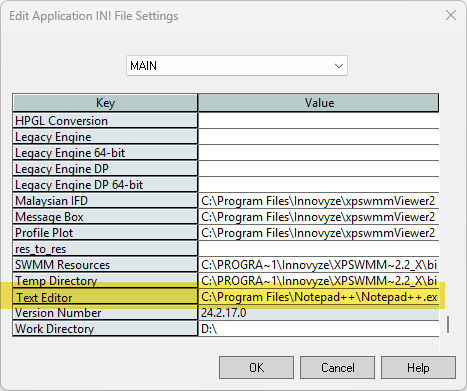
Go to Tools > Application Settings.
In the dialog box, select the ‘Main’ tab.
Scroll to the bottom and find the ‘Text Editor’ field.
Replace the executable path with your preferred editor, like Zed (’C:\Users[YourUsername]\AppData\Local\Programs\Zed\Zed.exe’), UltraEdit, Visual Studio Code, or even basic Notepad (ok—don’t use Notepad; opt for something more robust like VS Code for better security features).”
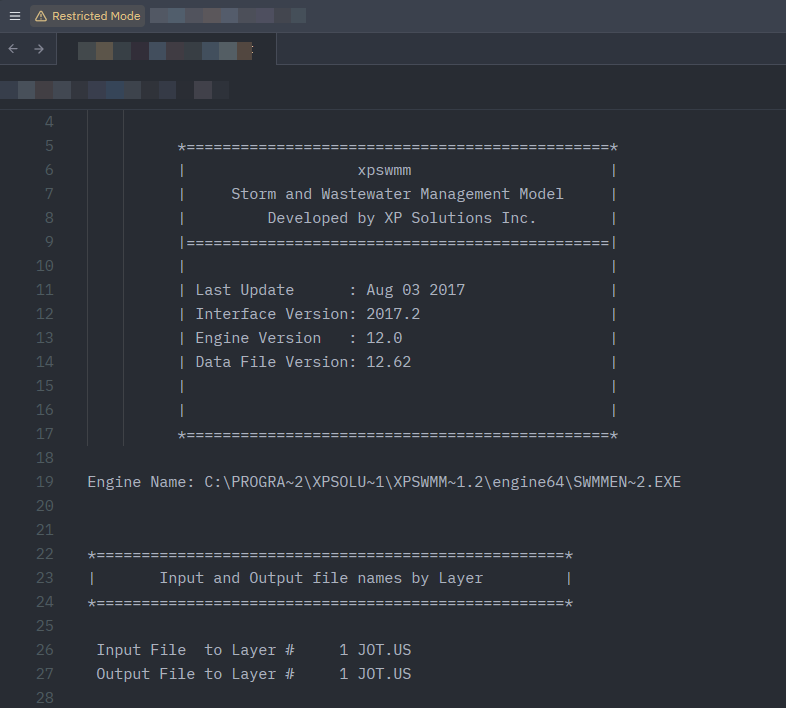
If you’re using XPSWMM or similar tools, check your setup today—and stay vigilant amid the hype. Better yet, use tools like TUFLOW.